The flows each site exists for
Contact forms, quote requests, logins, bookings, WooCommerce checkouts — run as real-browser journeys, AI-suggested per site or written in plain text.
For an agency, the expensive WordPress failure is not downtime — it is the client discovering their own broken contact form, login, or checkout. NorthDuty monitors every client site from the outside: health checks every 5 minutes, and real-browser journeys through the flows each site exists for — re-run the moment a plugin update lands.
Start your 7-day trial — no credit card, free plan after.
Every client site watched from the outside — update fallout caught before the client emails.
Every client site gets the same four layers, whatever its plugin stack.
The NorthDuty Connect plugin and deploy detection re-run every journey after plugin, theme, and core updates — so a broken form is an alert in your inbox, not a client email.
Get NorthDuty Connect on WordPress.orgContact forms, quote requests, logins, bookings, WooCommerce checkouts — run as real-browser journeys, AI-suggested per site or written in plain text.
Every 5 minutes by default: uptime, SSL expiry, DNS, blank-page detection, broken resources, JavaScript errors — the failure modes a 200 response hides.
Public status pages and scheduled PDF/email reports show clients the retainer is working — and give you the evidence trail when something did break and you caught it first.
Each client site is a project with its own journeys, health checks, and status page — and alerts that name the site and the failing step.
NorthDuty reads each site and proposes the journeys worth monitoring — a checkout for the store, a quote form for the brochure site.
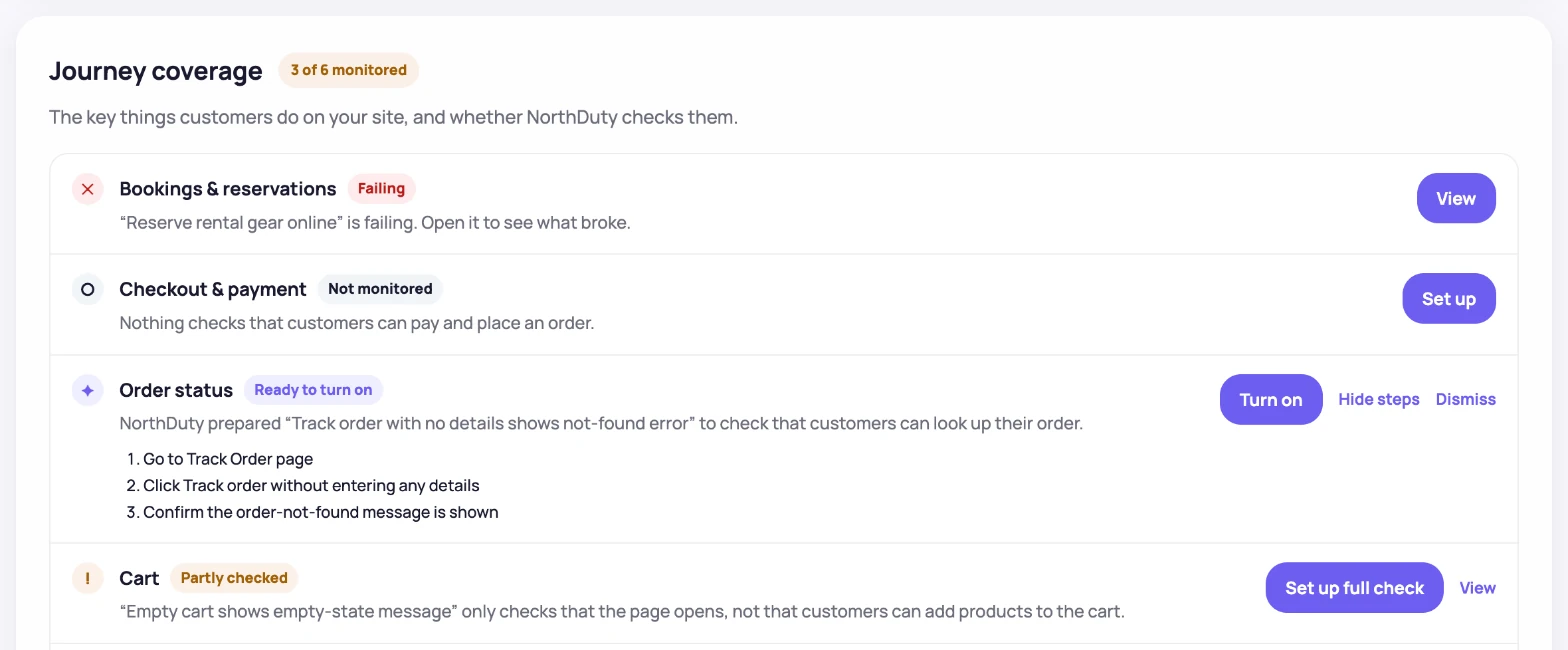
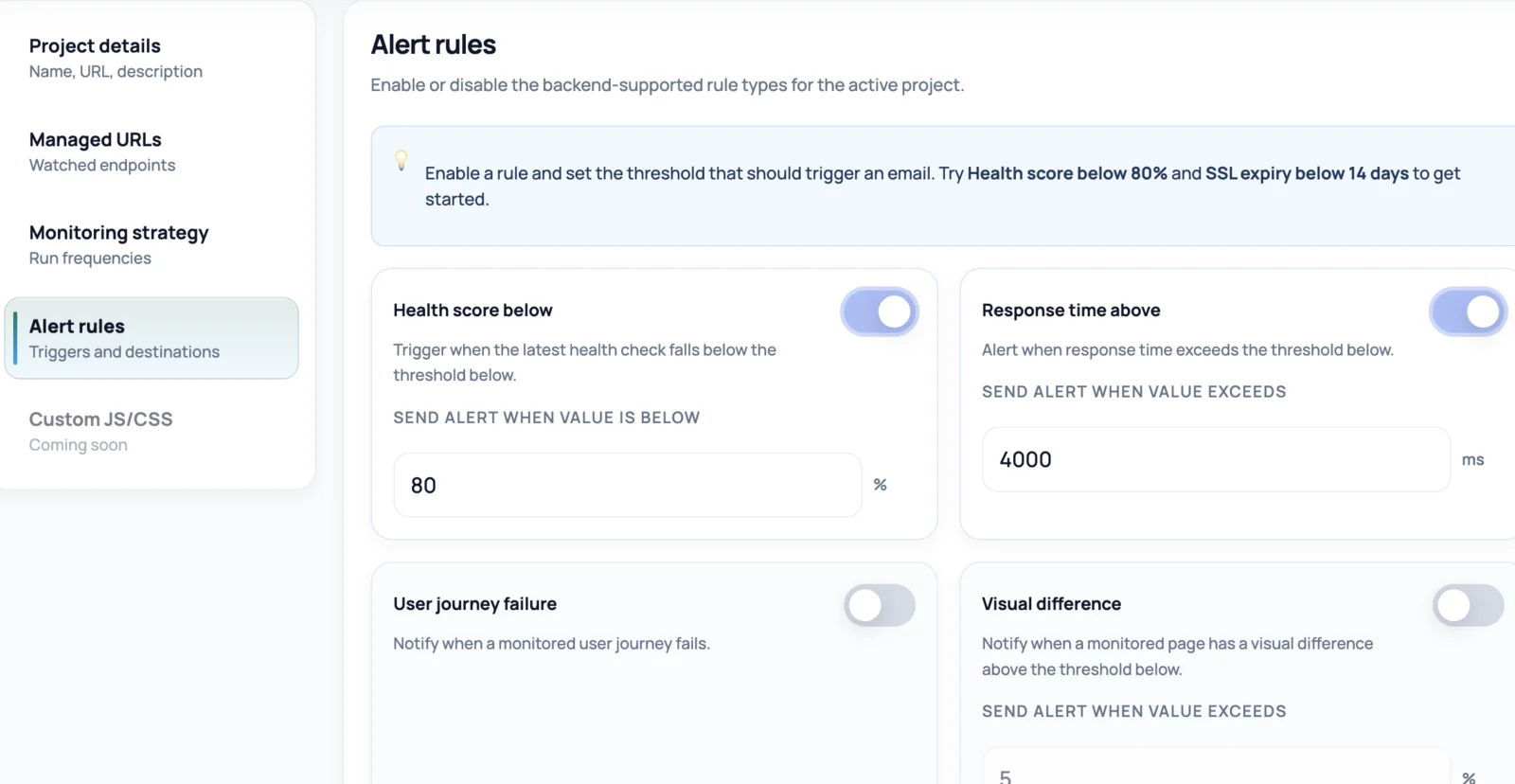
Thresholds for health score, failed journeys, and SSL expiry — routed to the right channel for each client team.
WordPress sites fail in ways uptime checks cannot see: a plugin auto-update conflicts with the theme, a form plugin stops delivering submissions, a page builder update hides the submit button, PHP errors blank a template while the homepage still returns 200. Multiply that by a roster of client sites on different plugin stacks, and 'is everything up?' becomes an impossible manual question.
NorthDuty answers it continuously and from the outside — no plugin to install on client sites, nothing to keep updated, and it keeps watching even when WordPress admin itself is down. Each site gets rendered health checks (uptime, SSL, DNS, blank pages, JavaScript errors) and journeys that submit the contact form, log in, or complete checkout the way a visitor would.
Built for the retainer model: many sites, mixed stacks, and a reputation that depends on catching breakage first.
Ten client sites take an afternoon, not a sprint.
Health monitoring starts immediately on each — uptime, SSL, DNS, blank pages, JavaScript errors, every 5 minutes by default.
Accept the AI-suggested flows or describe them in plain text — the contact form on the brochure site, checkout on the store, login on the membership site.
Install NorthDuty Connect or add a deploy webhook so every update run re-checks the site's journeys straight away.
Per-project alert rules go to your channels (and the client's, if you want); scheduled reports and status pages keep the retainer visible.
Explore pricing, feature details, solution pages, and related tools connected to this website monitoring use case.
Pricing
NorthDuty plans are sized by how many checkout, signup and login journeys you monitor: Free, $29 Starter, $79 Pro, $199 Business. 7-day trial, no card.
Compare pricing plansHub
Explore NorthDuty features: coverage-aware AI journeys, a cross-site workspace overview, website health checks, and connected incident response.
Browse FeaturesHub
Explore NorthDuty solutions for ecommerce website monitoring, SaaS website monitoring, agency website monitoring, and startup website monitoring.
Browse SolutionsFeature
See NorthDuty monitor a real WooCommerce store: a full checkout journey in a real browser, a free-shipping rule that silently broke, and a booking API that timed out — the step, screenshot and explanation NorthDuty recorded.
Explore Live DemoFeature
WooCommerce monitoring that runs your real checkout in a browser on a schedule: catch broken carts, failed payment steps and plugin-update fallout early.
Explore WooCommerce MonitoringFeature
NorthDuty runs your checkout, signup, login and form flows in a real browser on a schedule and reports the exact step that failed, with a screenshot.
Explore User Journey MonitoringFeature
Run checkout and lead forms in a real browser on a schedule. Get the failed step and a screenshot when submission breaks. One daily journey is free.
Explore Form MonitoringFeature
Generate PDF reports covering website health and user journeys. Download on demand or schedule recurring email delivery.
Explore ReportsArticle
NorthDuty Connect is a free WordPress plugin that reports the moment a plugin, theme or core update lands, so your checkout and form checks re-run at once.
Read NorthDuty Connect: Re-Test Your Site the Moment an Update LandsFeature
Drupal monitoring that checks the flows, not just the server: Webform submissions, logins and site search run in a real browser, re-run after every security release and deploy.
Explore Drupal MonitoringSolution
Monitor client sites for broken checkouts and forms, blank pages, post-launch issues, and client-ready reports.
View For AgenciesArticle
Monitor a WordPress site properly: uptime, rendered page health, forms and checkout as real-browser journeys, SSL and DNS.
Read How to Monitor a WordPress SiteArticle
Learn how to monitor WordPress after a plugin update: why updates silently break WooCommerce checkout without downtime, and how to catch failures first.
Read How to Monitor WordPress After a Plugin UpdateArticle
Running client websites? Learn how website monitoring for agencies catches broken pages, checkout failures and broken forms before your clients call.
Read Website Monitoring for AgenciesArticle
A browser-verified study of 100 agency-built WooCommerce stores found 5 API or TLS defects and 10 more with dead menu, cart, or product links.
Read WooCommerce Store Defect Study 2026Answers to common questions about this monitoring feature and when teams should use it.
WordPress monitoring verifies that a WordPress site is not just online but actually working: pages render, forms submit, logins succeed, checkouts complete, even after an update. NorthDuty does this from the outside with real-browser journeys and health checks.
No. NorthDuty monitors from the outside in a real browser, so there is nothing to install on the client's WordPress — no extra attack surface, no plugin to keep updated, and monitoring keeps running even when WordPress admin is unreachable.
Yes — that is the most common WordPress failure it exists for. Journeys fail at the broken step within a cycle, with a screenshot of what the visitor would have seen, and deployment monitoring can run every check immediately after your maintenance window.
Plans are sized by journeys and sites, not per site: Starter ($29) covers 6 journeys across 2 sites, Pro ($79) covers 15 journeys across 5 sites, and Business ($199) covers 45 journeys across 15 sites — so a roster does not multiply the bill the way per-site pricing does.
Yes. Store projects get the full WooCommerce treatment — scheduled checkout, cart and account journeys, plus store health checks. See the dedicated WooCommerce monitoring page for details.
Put every client site in one workspace and be the agency that tells the client something broke — with the fix already underway.
7 days with Pro features and limits, no credit card — then keep one daily journey on the free plan.