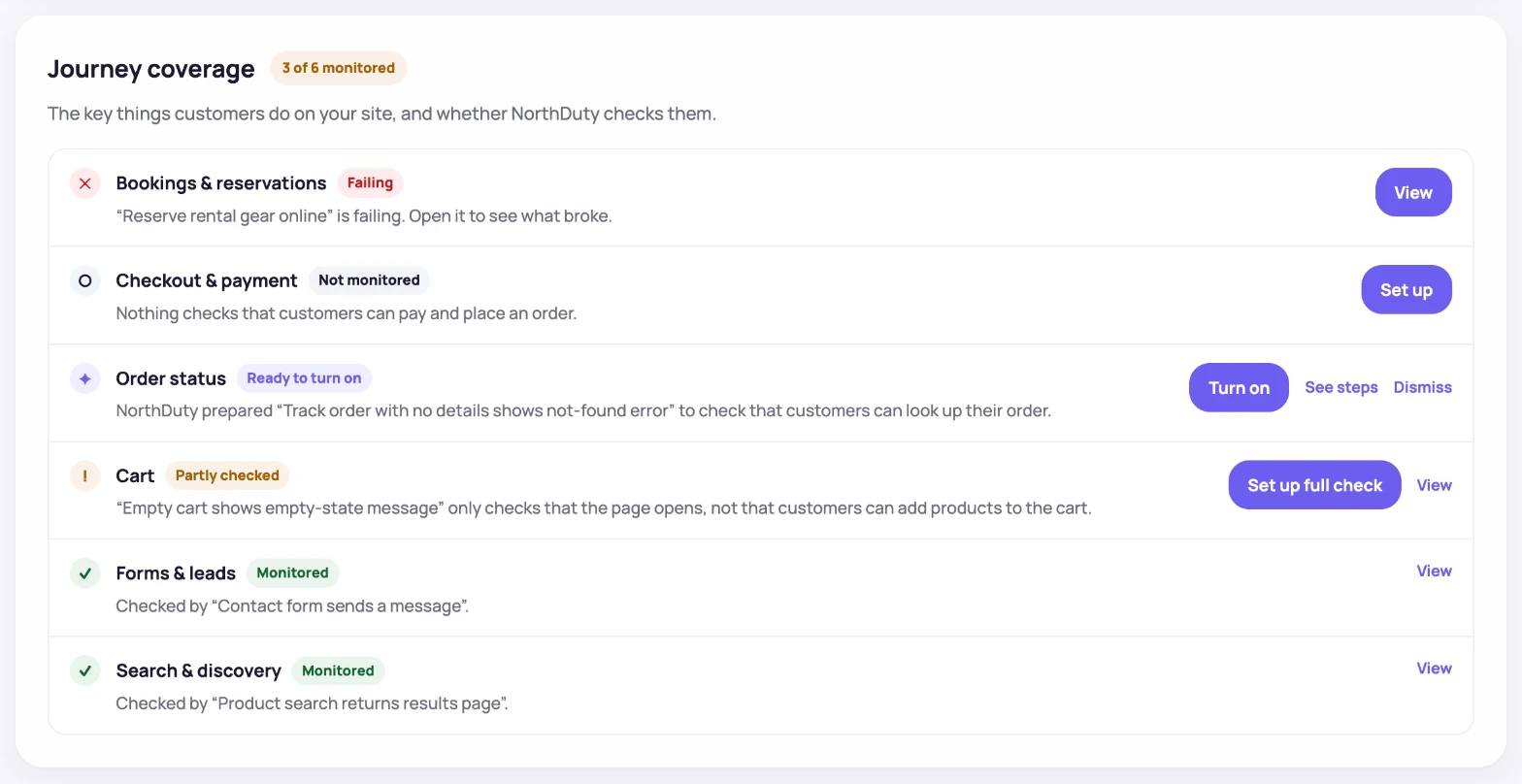
Uptime says the server answered. It doesn't say customers can still check out.

NorthDuty tests the flows that make you money — checkout, signup, login — and tells you the moment one breaks.

Find out before your client does.

Managing client WordPress, WooCommerce, or Drupal sites? See NorthDuty for agencies →

See how it works

7 days with everything unlocked, no credit card — then one journey checked daily, free forever.

The Tuesday problem

A plugin update ships on Tuesday. The site stays up, the dashboard stays green, and checkout throws an error on the payment step. Nobody notices until the client calls on Thursday.

NorthDuty runs that checkout on a schedule and tells you on Tuesday.

How a journey catches the break a green dashboard misses

Pick a flow, let NorthDuty run it in a real browser on a schedule, and get the failing step with a screenshot — not a status code. Here is what that looks like, start to finish.

1. Pick the flow

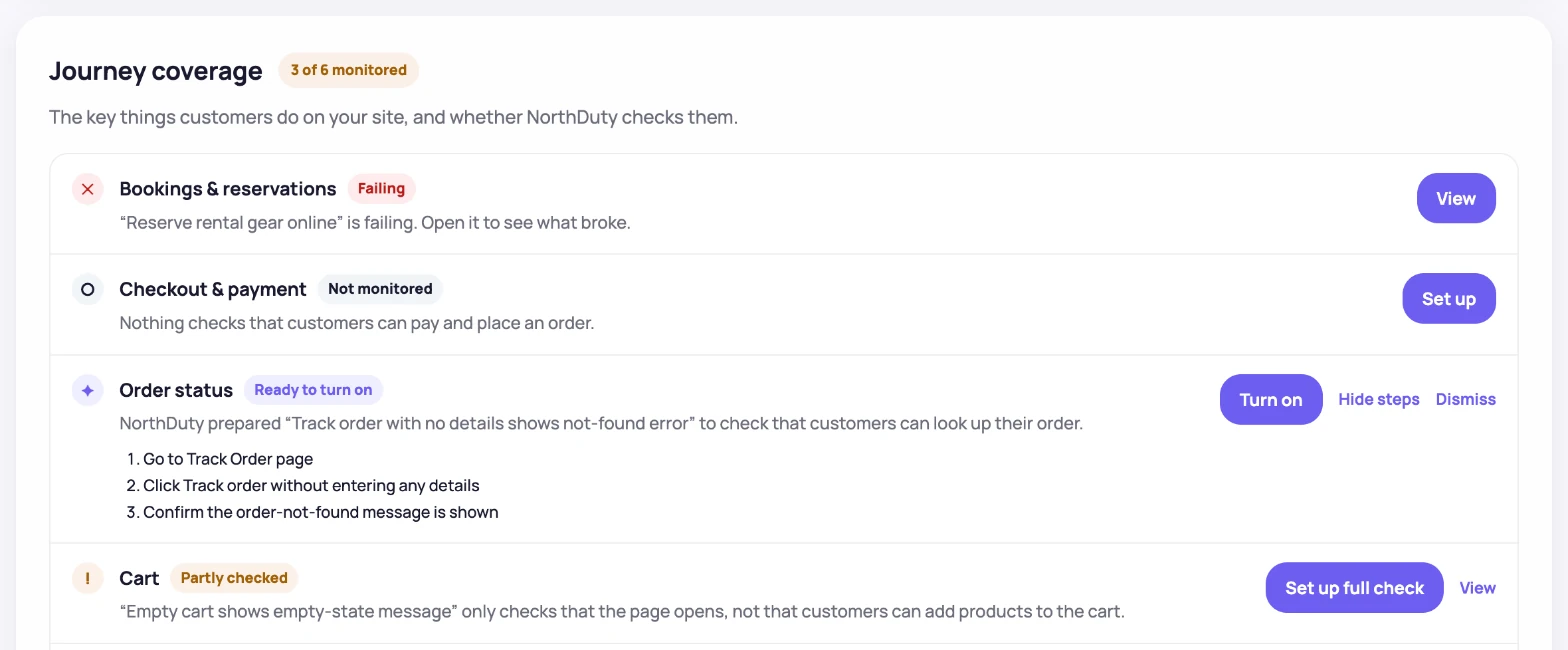
NorthDuty suggests the journeys that matter on your site

Add a URL and NorthDuty proposes the site-specific happy paths — add to cart, checkout, signup, login, contact form — as concrete steps. Enable the ones you care about, or describe your own in plain text. No scripts.

NorthDuty AI suggested flows screen showing ecommerce journey recommendations with steps and enable monitoring buttons.
AI-suggested ecommerce flows with step lists and one-click enable controls.
2. It runs, and you see which step failed

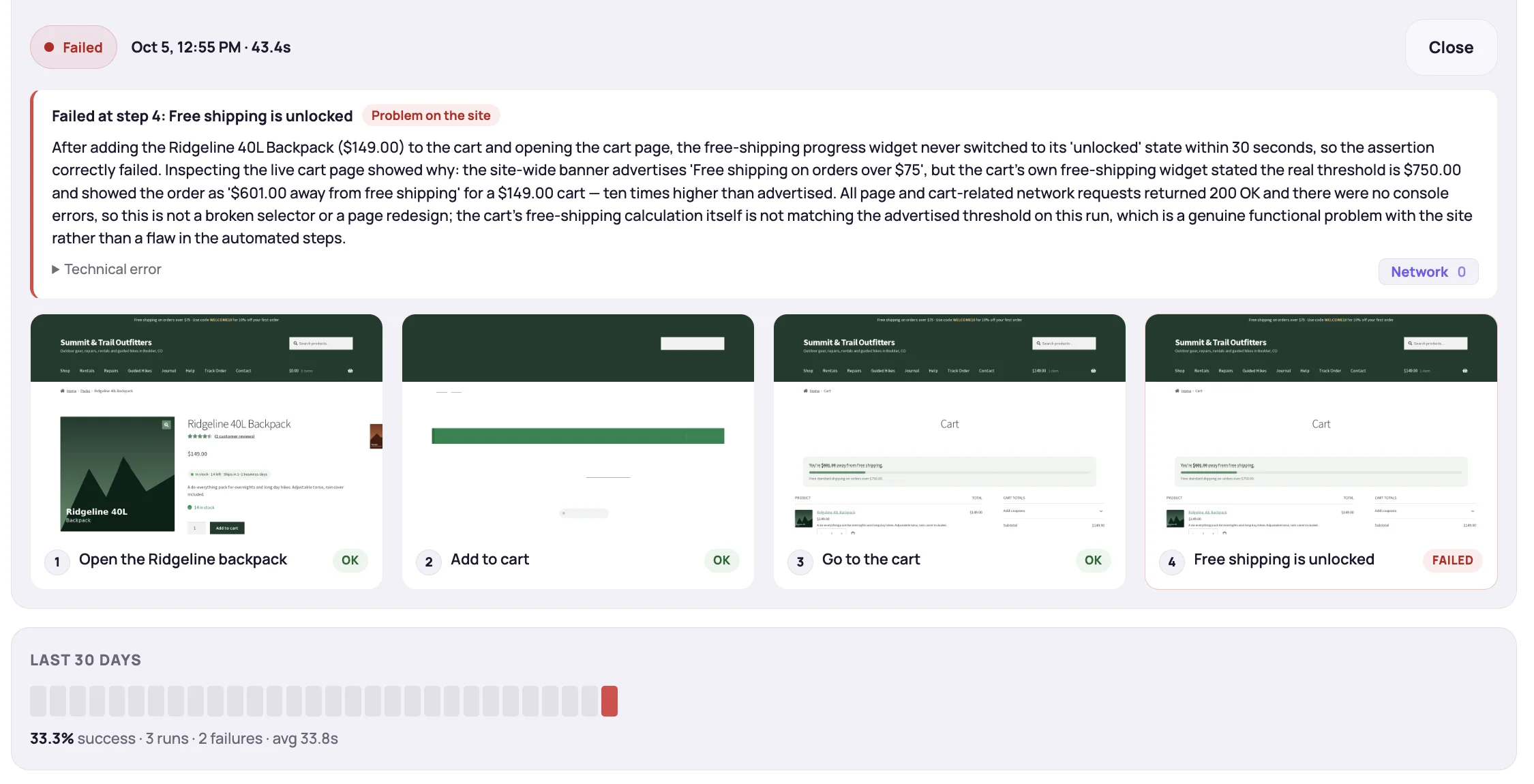
The failing step, its screenshot, and the run history

Every run keeps a step timeline with screenshots, latest duration, and success rate. When the submit step starts throwing an error, you see that exact step and its screenshot — not a generic 'site down'.

NorthDuty user journey run detail for a contact-form flow: steps to open the page, enter name and email, and describe the request all pass, while the final 'Confirmation is shown' step fails with an Internal Server Error screenshot; run history shows 75% success across 4 runs.
A failed contact-form run: every step screenshot is kept, and the failing confirmation step is pinpointed — 75% success across the last 4 runs.
3. Proof of what changed

A visual diff shows what the update actually did

Alongside the step result, NorthDuty compares the latest screenshot against the previous baseline and highlights the changed area, so you can show a client exactly what moved.

NorthDuty UI changes monitoring screen showing screenshot history, previous screenshot, diff overlay, and 7.20 percent changed.
Screenshot history with previous capture, diff overlay, and changed percentage.
4. You hear about it on Tuesday

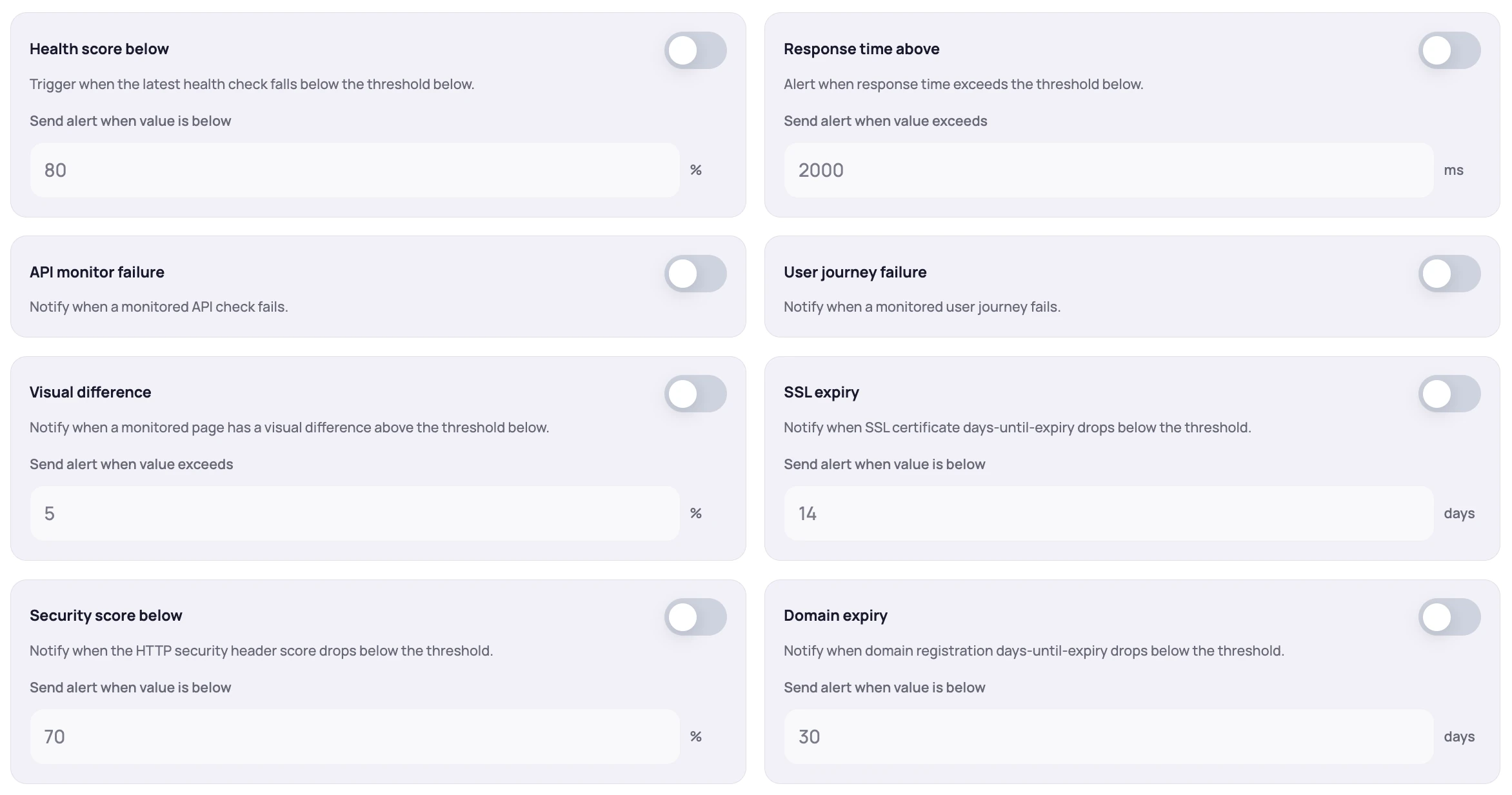
Alerts fire on a failed journey, not just a failed ping

Set thresholds for failed journeys first, then add health score, response time, visual difference, and SSL expiry if you want them. Email, Slack, SMS, and more.

NorthDuty alert rules screen showing health score, response time, user journey failure, visual difference, and SSL expiry thresholds.
Alert thresholds for health score, response time, journey failures, visual differences, and SSL expiry.
Call To Action

See which of your flows are breaking right now.

Enter your URL and NorthDuty checks the pages and flows customers actually use — no scripts to write, nothing to install.

7 days with every feature unlocked, no credit card required — then keep monitoring on the free forever plan.

The ordinary monitoring comes included

Journeys are the reason to switch. Everything an uptime tool would give you runs on every project too, at no extra setup — so you don't need a second tool.

Try everything for 7 days, then pick how many flows to protect

Full access for a week, no credit card. After that, plans are sized by the number of journeys you monitor — pages and health checks scale with them.

Frequently Asked Questions

Answers to common questions about NorthDuty and website monitoring.

How is this different from UptimeRobot or Pingdom?

An uptime tool tells you the server answered. It cannot tell you the payment step started throwing an error, because it never reaches the payment step. NorthDuty runs the flow itself — add to cart, checkout, signup, login — in a real browser, and reports which step failed. Use an uptime tool if you only need to know an endpoint responds; use NorthDuty when a silent break in a flow costs you money.

Do I need to write Playwright scripts?

No. NorthDuty runs Playwright and Chromium behind the scenes, but you never touch them. It suggests 2-5 journeys for a new project, and custom flows are described in plain text.

Does this work with WooCommerce and WordPress?

Yes, and there is no plugin to install — NorthDuty drives the site from the outside in a real browser. That is also why it catches the WordPress failure mode that hurts most: an update that leaves the site up and responding while checkout, login, or a form quietly stops working.

What do the trial and the free plan include?

The trial is 7 days with every feature unlocked and no credit card. After it ends the Free plan keeps one site, 20 monitored pages, health checks every 5 minutes, one journey checked daily, and email notifications. More journeys at faster intervals, API monitors, page stability monitoring, and the full set of alert channels start on Starter.

Is monitoring safe for authorized URLs?

NorthDuty is intended for sites, flows, and services you own, operate, or are authorized to test. For authenticated or transactional journeys, use test-safe accounts and inputs, and keep secrets, payment data, and other sensitive data out of URLs, journey steps, reports, and alerts.

Call To Action

Find out before your client does.

Enter your URL and NorthDuty starts checking the flows your revenue depends on — checkout, signup, login — and tells you the moment one breaks.

7 days with every feature unlocked, no credit card required — then keep monitoring on the free forever plan.

Explore website monitoring resources

Product pages, comparisons, and practical guides.

Start monitoring