What is Drupal monitoring?
Drupal monitoring checks that a Drupal site is not just online but working: pages render, Webforms submit, logins succeed and search returns results, including right after an update. NorthDuty does this from outside the site with real-browser journeys and health checks.
Do I need to install a Drupal module?
No. NorthDuty runs from outside in a real browser, so there is nothing to install, no extra code on the client's site, and monitoring keeps running even when the site itself is in trouble. The only optional step is a webhook call from your deploy so checks run the moment a release lands.
Can it catch what a security update or composer update broke?
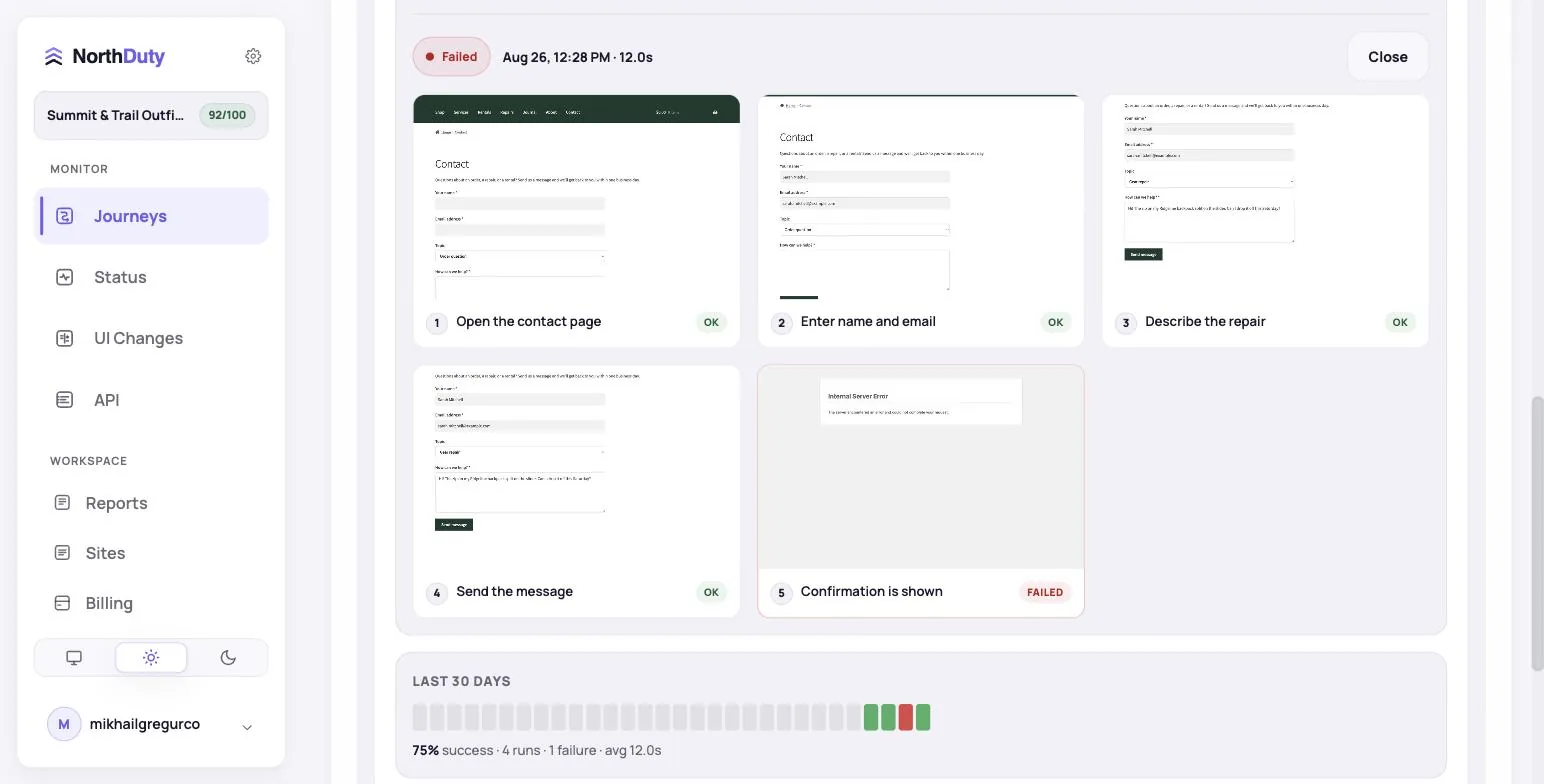
Yes. That is the main thing it is for. A journey fails at the broken step, with a screenshot of what the visitor would have seen. If your deploy calls the NorthDuty webhook, every journey and health check runs as soon as the update is live instead of at the next scheduled run.
How do I trigger checks from a Drupal deploy?
Each project has a webhook URL. Post to it at the end of your deploy, signed with HMAC-SHA256 over the timestamp and request body (X-ND-Timestamp and X-ND-Signature headers). It works from a Drush or shell script, Pantheon Quicksilver, Acquia Cloud Hooks or Platform.sh deploy hooks. GitHub, GitLab and Bitbucket CI webhooks are recognised directly, and non-production environments are ignored.
Does it work on Pantheon, Acquia or Platform.sh?
Yes. NorthDuty checks the public site the way a visitor reaches it, so the host does not matter. The host only affects where you put the webhook call.
How does pricing work for an agency with many Drupal sites?
Plans are sized by journeys and sites, not per site: Starter ($29) covers 6 journeys across 2 sites, Pro ($79) covers 15 journeys across 5 sites, and Business ($199) covers 45 journeys across 15 sites.